Day 15: Python Libraries for DevOps
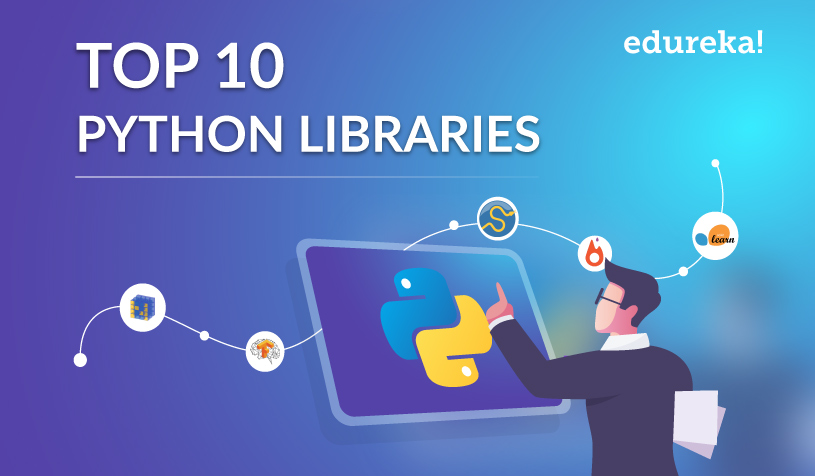
Python Libraries for DevOps:
Many Python libraries can be used in DevOps tasks.
Ansible - A popular automation tool that allows managing and configuring servers, networks, and other infrastructure.
Terraform - Infrastructure as a Code tool to manage and provision infrastructure across multiple cloud providers.
Docker SDK for Python - A library for interacting with Docker containers and images.
Kubernetes Python Client - A library for interacting with Kubernetes clusters.
Fabric - A library for automating SSH tasks like running commands on remote servers, uploading files, and managing deployments.
Paramiko - A library for working with SSH connections. It provides a low-level API for working with SSH sessions.
GitPython - A library for working with Git repositories. It provides a high-level API for tasks like cloning repositories, managing branches, and committing changes.
Pytest - A testing framework for Python. It can be used to automate the testing of applications, scripts, and infrastructure code.
Boto3 - A Python library for working with Amazon Web Services (AWS) resources.
Netmiko - A library for managing and automating network devices.
Reading JSON and YAML in Python
As a DevOps Engineer, you should be able to parse files, be it Txt, json, yaml, etc.
You should know what libraries one should use in Python for DevOps.
Python has numerous libraries like
os,sys,JSON,yamletc that a DevOps Engineer uses in day-to-day tasks.
Task1:-
Create a Dictionary in Python and write it to a JSON File.
json. dumps(): It is used to convert a dictionary to a JSON string.
  import json
   person = {
       "name": "Pooja",
       "age": 25,
       "city": "Pune"
   }                                # Create a dictionary
   with open('person.json', 'w') as json_file:
       json.dump(person, json_file)   # Write the dictionary to a JSON file
we create a dictionary called a
personwith three key-value pairs:name,age, andcity.To write this dictionary into a JSON file, we first use the
open()function to create a new file calledperson.jsonin write mode ('w'). Then, we use theJSON.dump()function to write the contents of theperson'sdictionary to the file.After running this code, you should see a new file called
person.jsonin your current directory, containing the following JSON data:
Task2:-
Read a JSON file services.json kept in this folder and print the service names of every cloud service provider.
- Follow the steps:- In the services.json file add the below content.
services.json
{
"services":
{
"debug": "on",
"AWS":{
"name": "EC2",
"type": "pay per hour",
"instances": 500,
"count": 500 },
"azure": {
"name": "VM",
"type": "pay per hour",
"instances": 500,
"count": 500 },
"gcp": {
"name": "Compute Engine",
"type": "pay per hour",
"instances": 500,
"count": 500
}
}
}
Create another Python file eg. ok.py and paste the below content in it.
 import json

 # Open the JSON file and load its contents
 with open('services.json', 'r') as file:
     data = json.load(file)
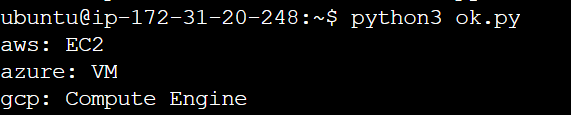
     print("aws:",data['services']['aws']['name'])
     print("azure:",data['services']['azure']['name'])
     print("gcp:",data['services']['gcp']['name'])
json.load(): json.load() accepts the file object, parses the JSON data, populates a Python dictionary with the data, and returns it to you.
Output:-
Task3:-
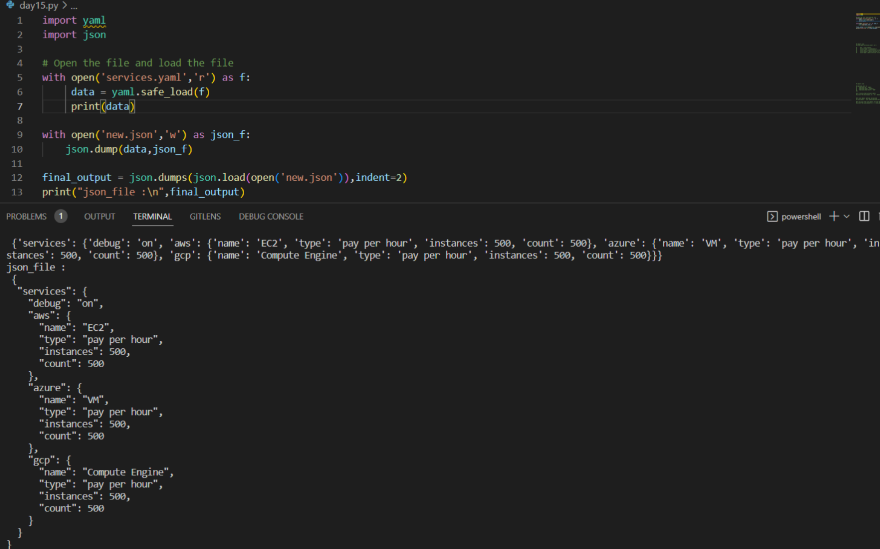
Read YAML file using Python, file services.yaml and read the contents to convert yaml to json.
import yaml
 from yaml.loader import SafeLoader
 import json

 # Open the YAML file and load its contents
 with open('services.yaml', 'r') as file:
     yaml_data = yaml.load(file, Loader=yaml.FullLoader)
 print(yaml_data)
yaml. load() function parses and converts a YAML object to a Python dictionary.
Output:-
About the author
AWS DevOps Engineer
Comments
Join the discussionNo comments yet. Be the first to comment.


