Day 20 : Docker Cheat-sheet
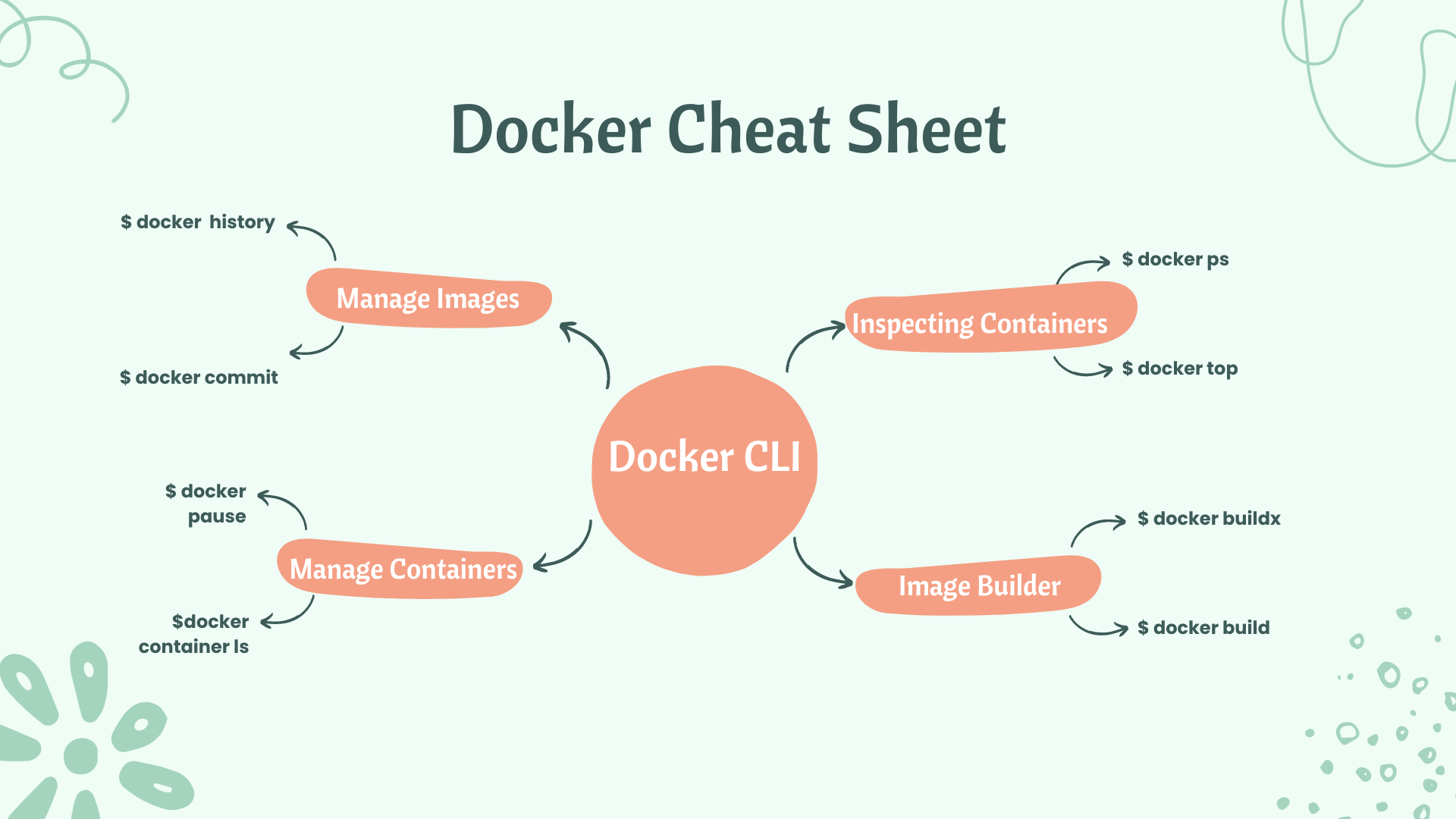
Docker:
Docker works as a platform as a service. It is the best example of PAAS. Docker required a docker engine. Docker creates a virtual environment called a docker container. It works independently without disturbing other projects. Docker containers all things like code, required commands, and authentication.
Docker commands:
docker build: Builds an image from a Dockerfile.
docker build [OPTIONS] PATH | URL |

docker build -t <image_name> .
docker run: Runs a command in a new container.
docker run [OPTIONS] IMAGE [COMMAND] [ARG...]

docker run -d --name <container-name> -p 80:80 <image-name>
docker start: Starts one or more stopped containers.
docker start <container-name>
docker stop: Stops one or more running containers.
docker stop <container-name>
docker pull: Pulls an image or a repository from a registry.
docker pull <image-name:tag>
docker push: Pushes an image or a repository to a registry.
docker push <image-name:tag>
docker exec: Runs a command in a running container and goes inside a container.
docker exec -it <container-name or ID> bash
docker rm: Removes one or more containers.
docker rm <container-name or ID>
docker rmi: Removes one or more images.
docker rmi <image-name>
docker images: Lists all the images on the local system.
docker images
docker ps: Lists all running containers.
docker ps
docker logs: Fetches the logs of a container.
docker logs <container-name or ID>
docker inspect: Returns low-level information on a container or image.
docker inspect <container-name or ID>
Docker Volume:
docker volume create: Create a volume
docker volume create <volume-name>
docker volume ls: List volumes
docker volume ls
docker volume inspect: Display detailed information on one or more volumes
docker volume inspect <volume-name>
docker volume rm: Remove one or more volumes
docker volume rm <volume-name>
docker volume prune: Remove all unused volumes
docker volume prune
INFO & STATUS
Show the log of a container
#docker logs CONTAINER
docker logs web
Show the stats of a running container
docker stats
Show the process of container
#docker top CONTAINER
docker top web
Show the installed docker version
docker version
Get the details info of Docker
#docker inspect NAME
docker inspect web
Show all modified files in a container
#docker diff conatiner
docker diff web
Show the mapped port of a container
#docker port CONATINER
docker port web
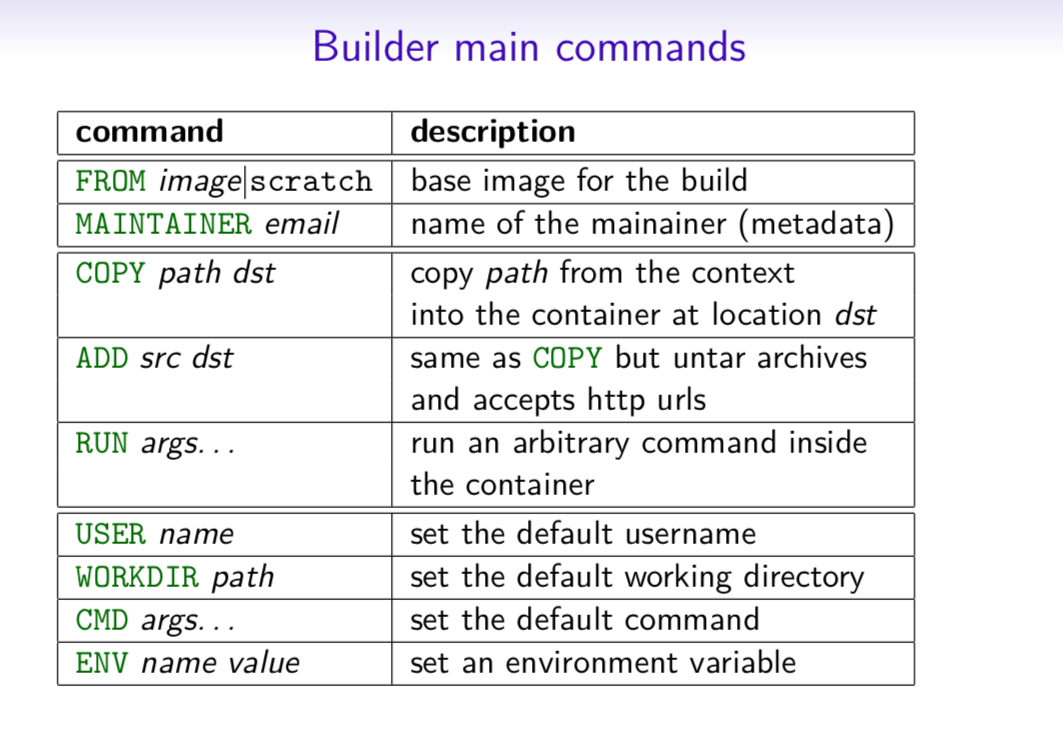
Builder Main Commands
Docker-compose
# docker-compose.yml
version: '2'

services:
  web:
    build:
    # build from Dockerfile
      context: ./Path
      dockerfile: Dockerfile
    ports:
     - "5000:5000"
    volumes:
     - .:/code
  redis:
    image: redis
About the author
AWS DevOps Engineer
Comments
Join the discussionNo comments yet. Be the first to comment.


