Day 8 Task: Basic Git & GitHub for DevOps Engineers.
What is Git?
Git is a tool.
Git is a version control system that allows you to track changes to files and coordinate work on those files among multiple people. It is commonly used for software development, but it can be used to track changes to any set of files.
Git is on your local machine not on the cloud. You can store your file in a file folder so it's safe and accessible.
Usage of Git:-
Used to manage projects with Repositories.
Branch and Merge to allow for work on different parts and versions of a project.
Git commands:-
sudo apt-get install git:- Git installation on Linux
git init:- Initialize an empty git repository.
git status:- give the information of the current state of the git repository.
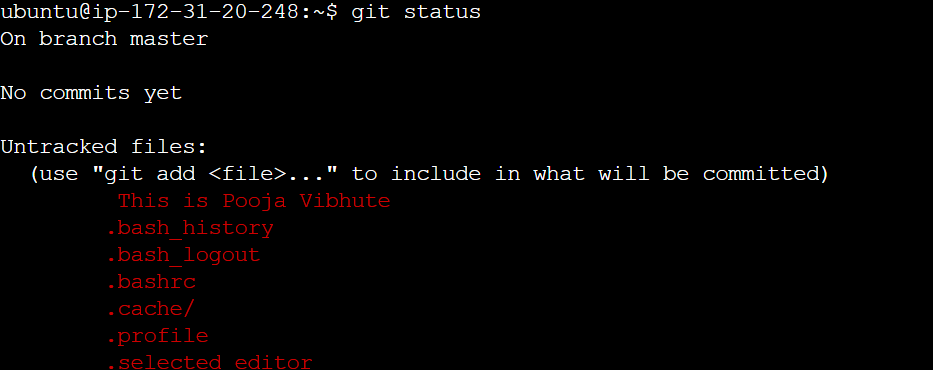
Accordingly, the above diagram by default branch is master. A branch is a place where we can put code. Commit means we can save accurate code on git, before commit we need to add, after adding that file goes into the stages state and the files not added are unstaged. When we commit the code and that file is deleted from local or git we can get back that file. but we just add a file without committing then it is deleted from the local permanently we can't get it back.
git checkout -b <branch name>:- Switching to the new branch, if you want to switch an existing branch then use git checkout with -b.
git add <filename>:- Used to stage the untracked file.
git commit -m "message":- to commit the file with the name.
git restore --staged filename:- used to delete the staged file.
What is GitHub?
GitHub is a web-based platform that provides hosting for version control using Git. It is a subsidiary of Microsoft, and it offers all of the distributed version control and source code management (SCM) functionality of Git as well as adding its features. GitHub is a very popular platform for developers to share and collaborate on projects, and it is also used for hosting open-source projects.
What is Version Control? How many types of version controls do we have?
Version control is a system that tracks changes to a file or set of files over time so that you can recall specific versions later. It allows you to revert files to a previous state, revert the entire project to a previous state, compare changes over time, see who last modified something that might be causing a problem, who introduced an issue and when, and more.
There are two main types of version control systems: centralized version control systems and distributed version control systems.
A centralized version control system (CVCS) uses a central server to store all the versions of a project's files. Developers "check out" files from the central server, make changes, and then "check-in" the updated files. Examples of CVCS include Subversion and Perforce.
A distributed version control system (DVCS) allows developers to "clone" an entire repository, including the entire version history of the project. This means that they have a complete local copy of the repository, including all branches and past versions. Developers can work independently and then later merge their changes back into the main repository. Examples of DVCS include Git, Mercurial, and Darcs.
Task1:-
If you want to push your changes from GitHub to git then cloning the repository means copying the path from GitHub.
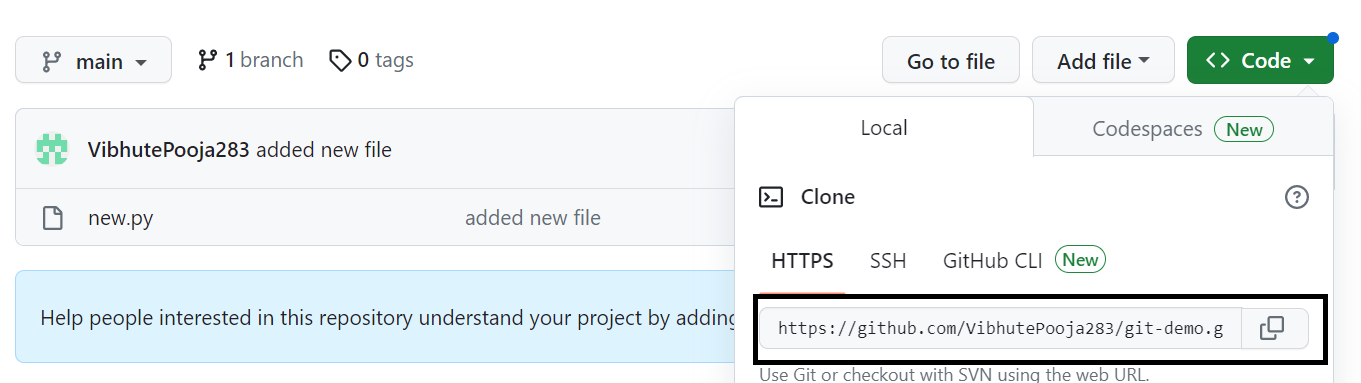
and use git clone pathname which is copied.
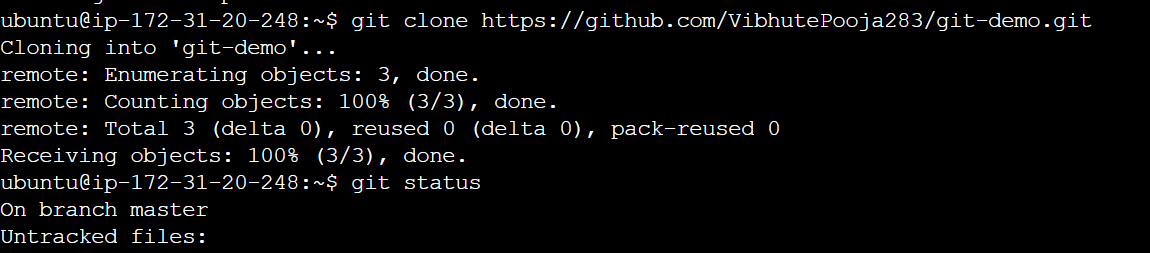
so whatever files are in the GitHub will come in local git.
And again do some changes in your file which are in the git folder and again commit it back to GitHub by following the push command.

The origin main is just like the master in git. So, with this, you again push the changes from local git to GitHub.
About the author
AWS DevOps Engineer
Comments
Join the discussionNo comments yet. Be the first to comment.


