Day 9 Task: Deep Dive in Git & GitHub for DevOps Engineers.
Difference between the main branch and the master branch?
Master Branch:-
When the developer created a repository and many branches are available. But the final and accurate code is kept at a single branch which is the master branch. In this master branch, not everyone makes changes only correct code is taken from other branches and pushed into the master branch. In git by default branch is the master branch.
Main Branch:- The meaning of master and the main branch is the same but it uses master and GitHub uses main that's it. Because in October 2020, the GitHub company changed the term from “master” to “main”.
Difference between Git and Github?
| S.No. | Git | GitHub |
| 1. | Git is software. | GitHub is a service. |
| 2. | Git is a command-line tool | GitHub is a graphical user interface |
| 3. | Git is installed locally on the system | GitHub is hosted on the web |
| 4. | Git is maintained by Linux. | GitHub is maintained by Microsoft. |
| 5. | Git is focused on version control and code sharing. | GitHub is focused on centralized source code hosting. |
| 6. | Git is a version control system to manage source code history. | GitHub is a hosting service for Git repositories. |
| 7. | Git was first released in 2005. | GitHub was launched in 2008. |
| 8. | Git has no user management feature. | GitHub has a built-in user management feature. |
| 9. | Git is open-source licensed. | GitHub includes a free tier and a pay-for-use tier. |
| 10. | Git has minimal external tool configuration. | GitHub has an active marketplace for tool integration. |
| 11. | Git provides a Desktop interface named Git Gui. | GitHub provides a Desktop interface named GitHub Desktop. |
| 12. | Git competes with CVS, Azure DevOps Server, Subversion, Mercurial, etc. | GitHub competes with GitLab, Bit Bucket, AWS Code Commit, etc. |
How do you create a new repository on GitHub?
After you create your GitHub account, click on the + button and select a new repository. After that, type the repository name and add a simple description. It will create an empty public repository.
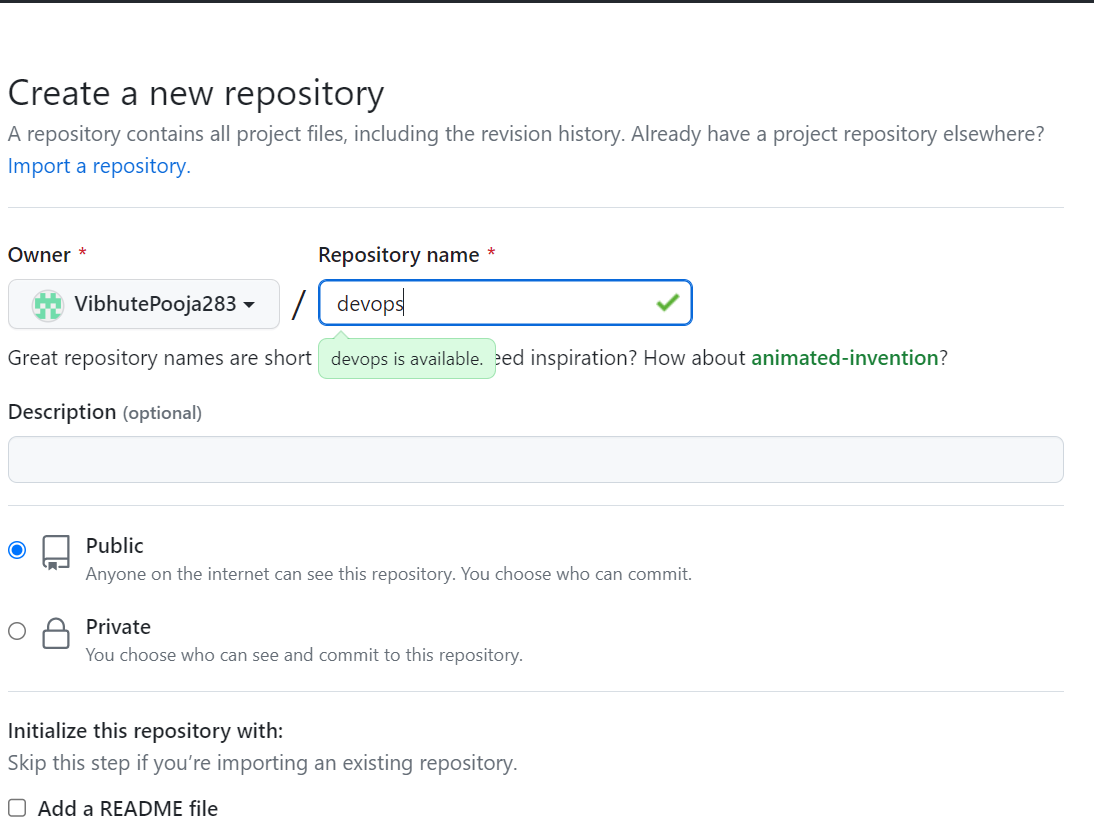
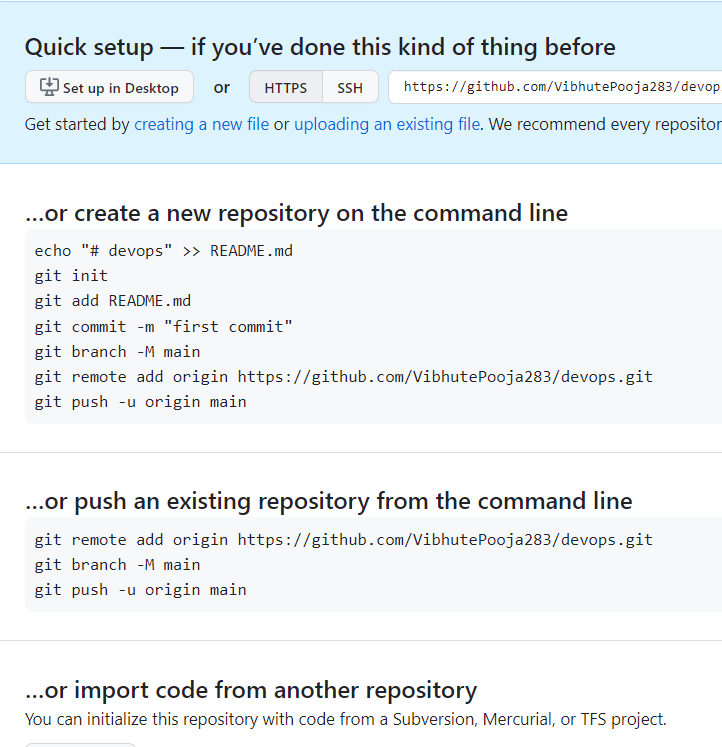
After creating the repository on GitHub, it will provide a detailed guide on how to clone, add remote, and initialize a Git project.
Difference between local and remote repositories? how to connect locally to the remote repository?
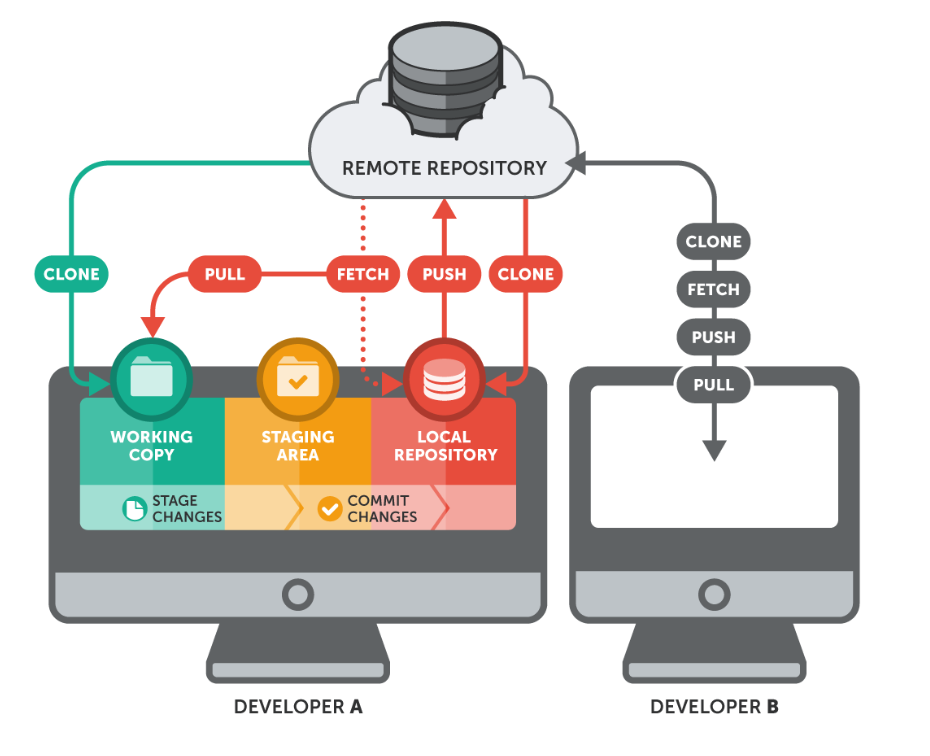
A local repository is a copy of a Git repository that is stored on your local computer, while a remote repository is a copy of the same repository that is hosted on a remote server, such as GitHub
task-1:
Set your user name and email address, which will be associated with your commits.
To set a user name.
sudo git config --globaluser.name"Your Name"To set email id.
sudo git config --globaluser.email"your.email@example.com"verify user name and email.
sudo git config --listgit config --the list is used to show the list of usernames and emails.

task-2:
perform push and pull and transfer repository from local to GitHub and GitHub to local git.
following are the steps follow as it is:-
create the folder devops-eng-batch. eg. mkdir DevOps-eng-batch
Go into a folder. cd devops-eng-batch
Create a file. touch hello.txt
now use the git init command.
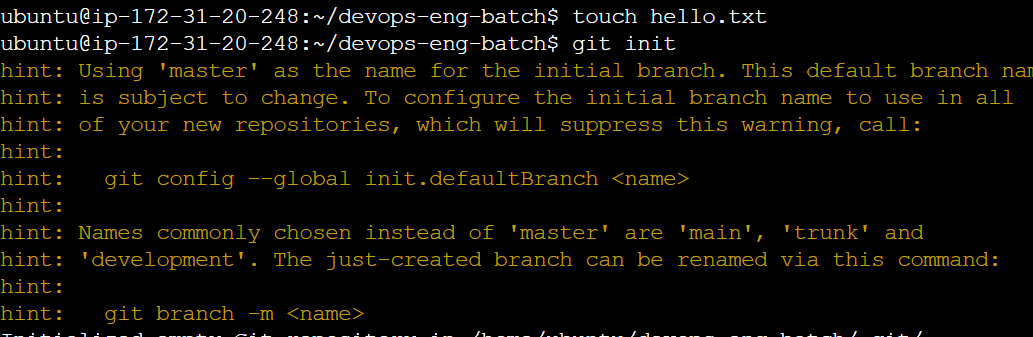
provide a username and email id compulsory otherwise, it takes both by default.
sudo git config --globaluser.name"Your Name"
sudo git config --globaluser.email"your.email@example.com"Add file to git.
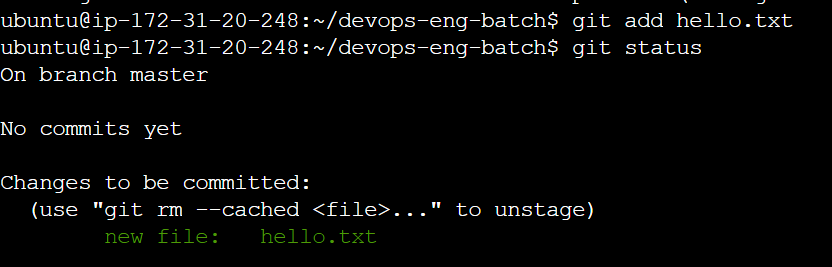
When you add a file it goes into the staging state.
Commit the file. When you commit the file it is stored in the git folder.
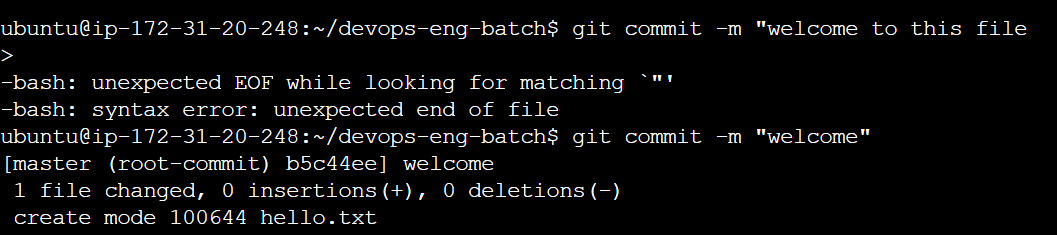
So the file is added to the local Git folder. Now we want to send this to our GitHub repository. So before that create a repository in Github of "devops-zero-to-hero-english".
(For my reference, I have created one more file but you can carry it with the previous file). Again i have committed my_test_file.txt to local Git. Now, I have transferred this file to GitHub at "devops-zero-to-hero-english". To create a token Go to settings->Devloper Settings->personal Access token->Token classic->Generate new token->Click on all repositories ->Generate Token. Copy that token.
Use the command:- git remote set-url origin https://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@github.com/VibhutePooja283/devops-zero-to-hero-english.git
So with the help of this, there is no need to provide a username or password. But we provide the authenticated token to them.
Format of URL:- git remote set-url origin http://token@github.com/writepart after HTTPS. You will get this format by git remote -v.
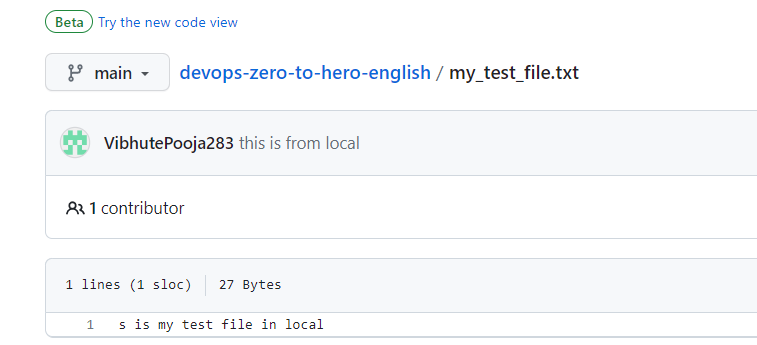
Then push your file to the GitHub repository. git push origin main

To see the following image our my_test_file.txt comes from Git to Github.
- Now Create Another File my_remote_file.txt and pull it from Github to Git, git pulls the origin main

You can check file is coming in the git local folder by ls command.

You can check to contain via the cat command.

About the author
AWS DevOps Engineer
Comments
Join the discussionNo comments yet. Be the first to comment.


