Linux Shell Scripting
Basic of Linux
If you are using Ubuntu then you must know about the following terms:-
Kernel
shell
Kernel:-
is a central component of an operating system that manages the operations of computers and hardware.
It manages operations of memory and CPU time. It is a core component of an operating system.
Kernel acts as a bridge between applications and data processing performed at the hardware level using inter-process communication and system calls.
Shell:-
A shell is a special user program that provides an interface for the user to use operating system services. Shell accepts human-readable commands from users and converts them into something which the kernel can understand.
Shell Scripting:-
As a shell can also take commands as input from the file we can write these commands in a file and can execute them in the shell to avoid this repetitive work. These files are called Shell Scripts or Shell Programs.
A shell script comprises the following elements –
Shell Keywords – if, else, break etc.
Shell commands – cd, ls, echo, pwd, touch etc.
Control flow – if..then..else, case and shell loops etc.
Why do we need shell scripts
To avoid repetitive work and automation
System admins use shell scripting for routine backups
System monitoring
Adding new functionality to the shell etc.
What is #!/bin/bash? can we write #!/bin/sh as well?
Bash:- It simplifies certain operations that are hard to accomplish efficiently with a GUI.
#!/bin/bash:- This is the first line of the shell path. It tells the shell to execute it via bash shell.
/bin/bash vs /bin/sh:- bash is a newer and improved version of the shell. The features offered and the advantages of Bash over Shell are very heavy. So bash is better.
Write a Shell Script that prints I will complete the #90DaysOofDevOps challenge

According to the above image, nano is like a notepad devops_first.sh is the filename. After entering that nano devops_first.sh text editor will open and it shows like below diagram.
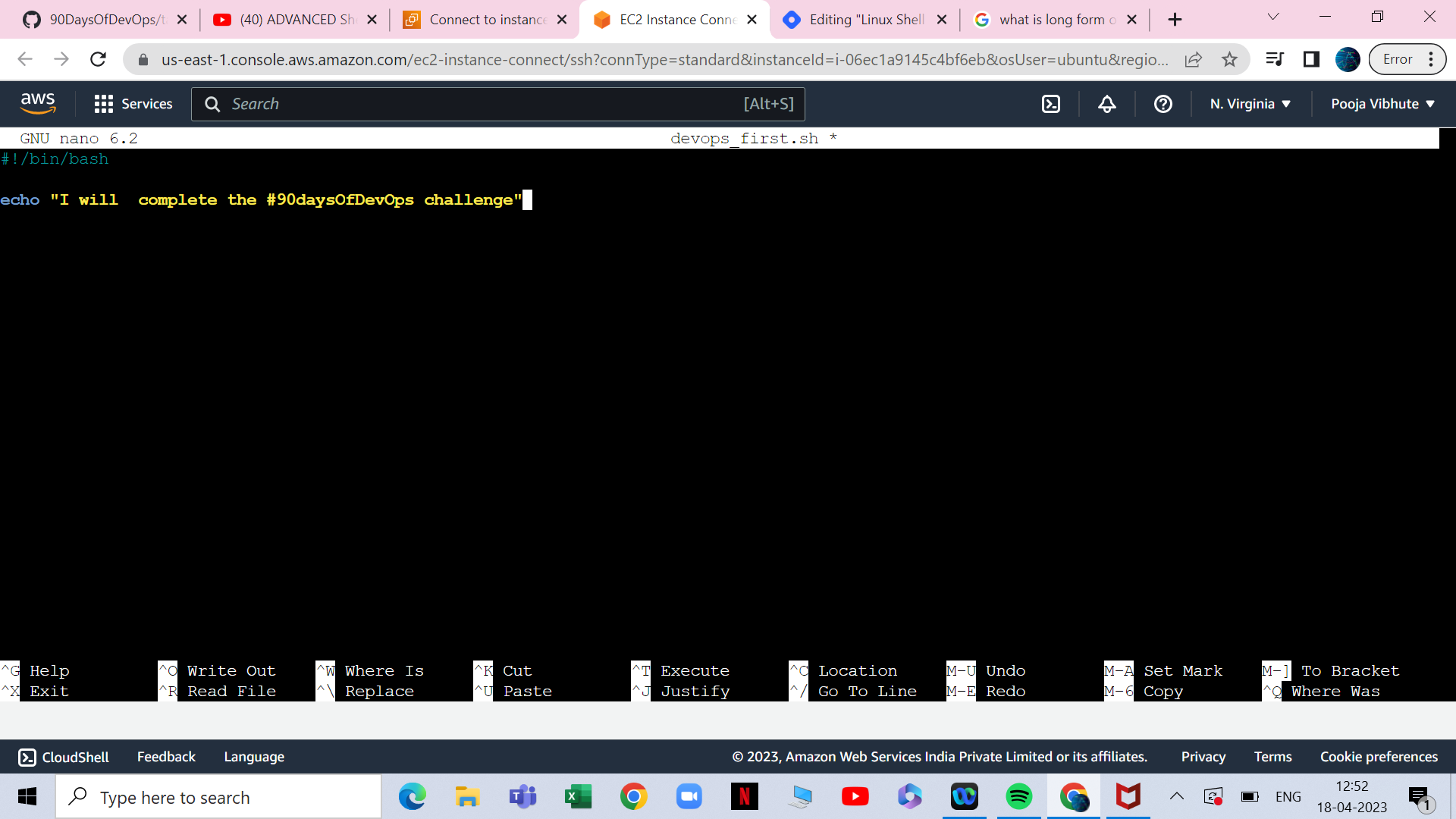
According to this image #!/bin/bash This is the first line of the shell path.
echo keyword is used to write the statement whatever we want.
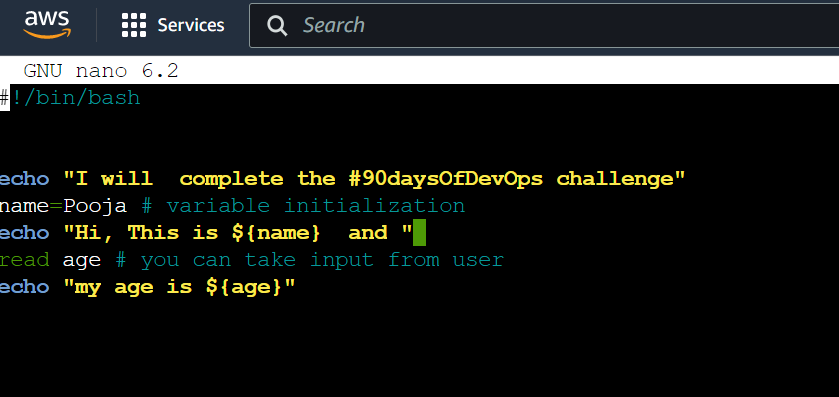
Write a Shell Script to take user input and print the variables.
Shell Script: - following is the script as input
Output:-

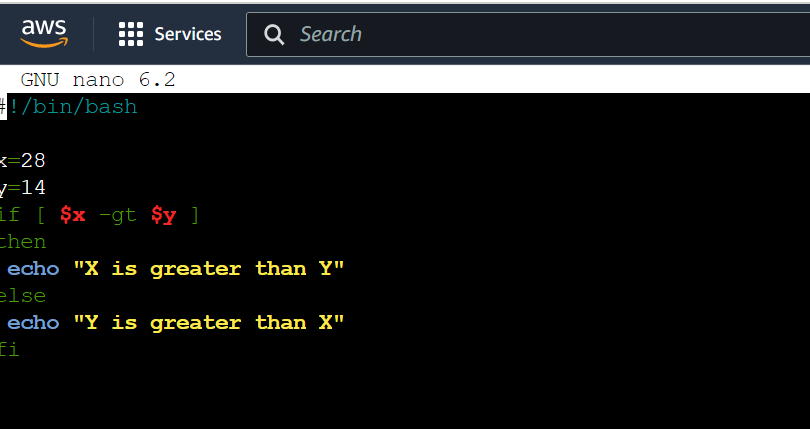
Output:-

About the author
AWS DevOps Engineer
Comments
Join the discussionNo comments yet. Be the first to comment.


